Ontario notices and leases, on top of the system you already use
Keep DoorLoop, Buildium, Yardi or your spreadsheet. Bring the data here for correct N1s, N4s, N12s and Standard Leases.
Free early access. We set it up with you.
Works with the tools you already run
- DoorLoopConnected
- BuildiumFile import
- YardiCSV import
- AppFolioCSV import
- Excel, Google Sheets, CSVFile import
Buildium, DoorLoop, Yardi and AppFolio are trademarks of their respective owners. OntarioLandlord is independent and not affiliated with or endorsed by them.
Your PMS collects rent. It was not built for the LTB.
- Served the wrong form version and had an application tossed.
- Counted the days wrong and lost the hearing date.
- Retyped the same tenant list into three different places.
From your data to a served notice in three steps
- 1
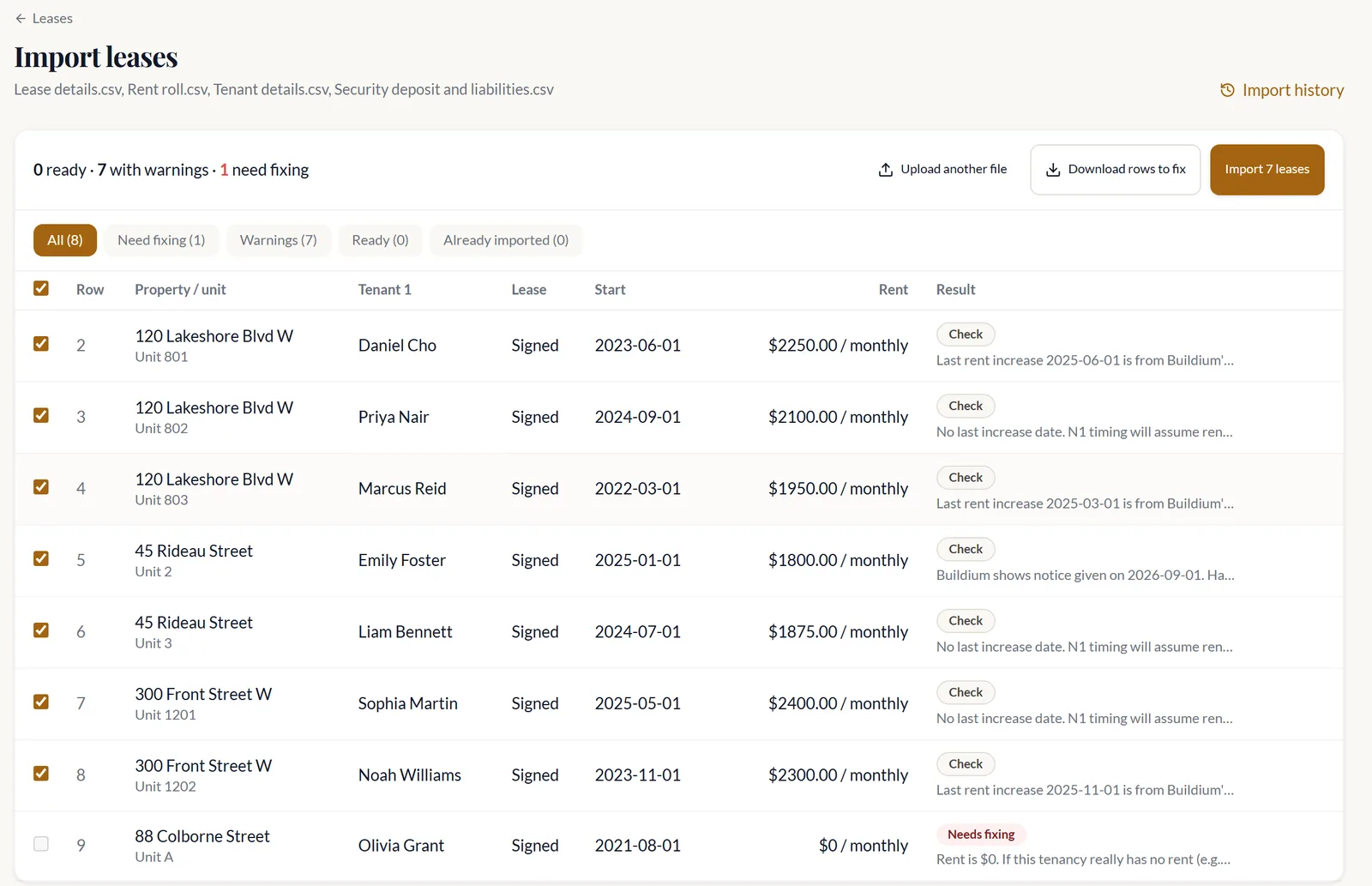
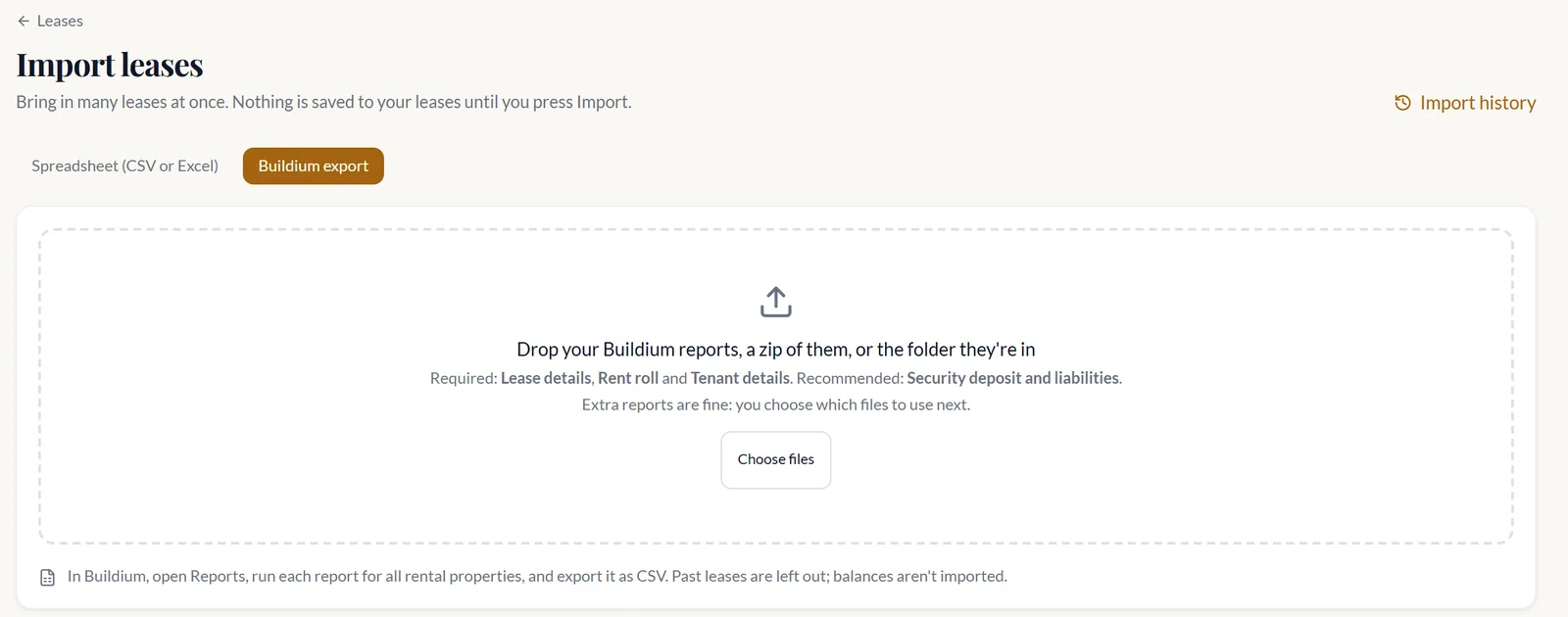
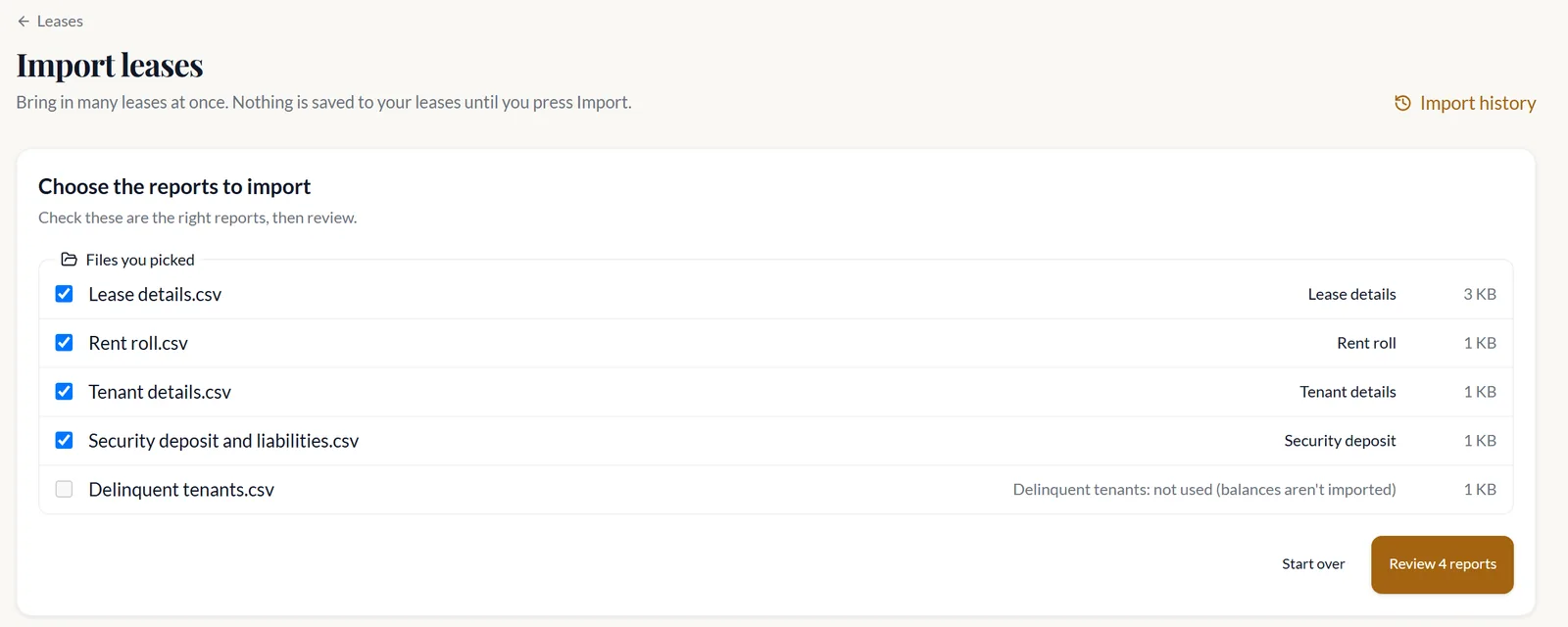
Bring your data in
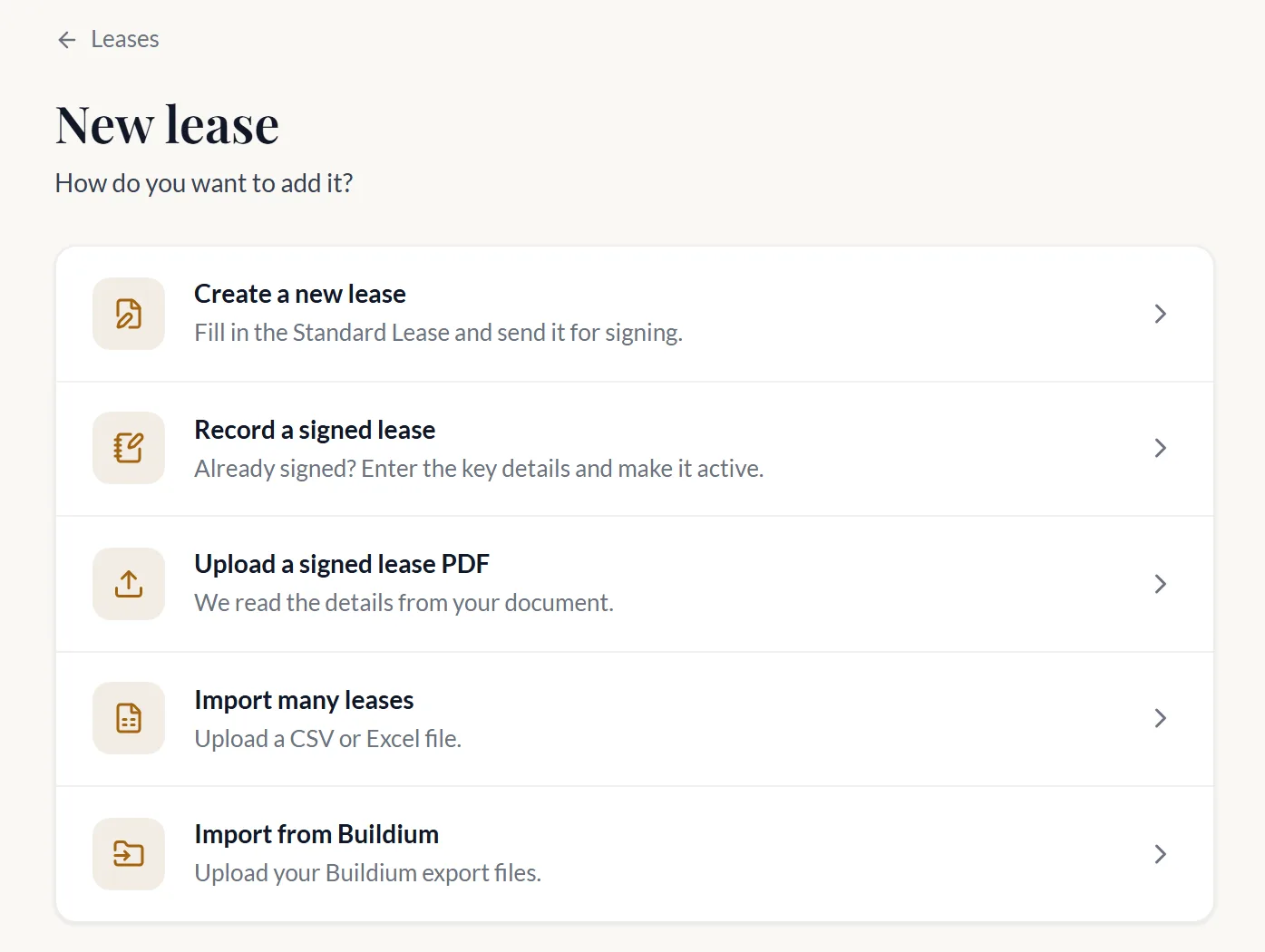
A Buildium export, a DoorLoop connection, or any CSV or Excel file.
- 2
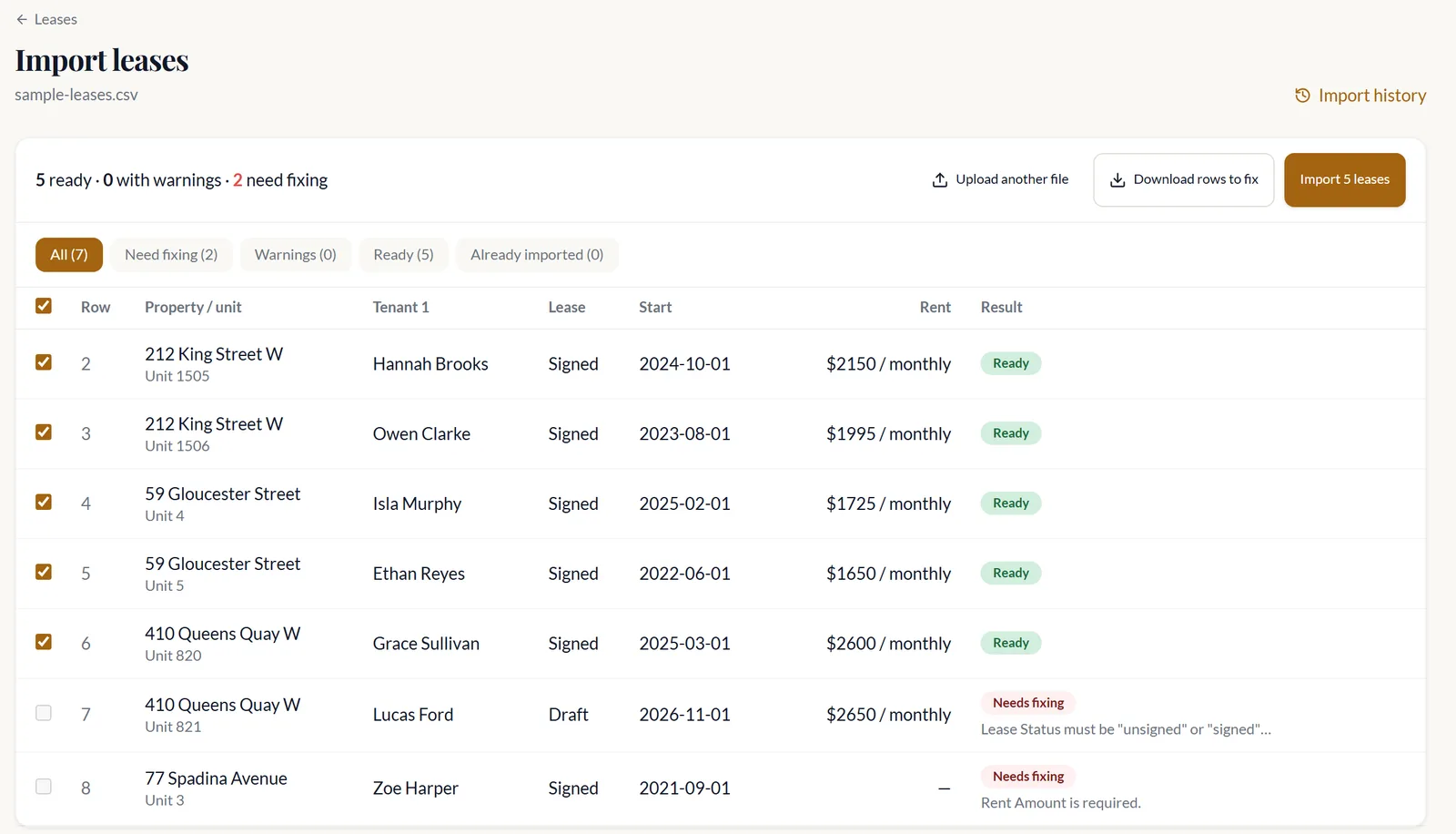
Check every row
Each lease shows as Ready, Warning or Needs fixing, with the reason. Nothing is saved until you say so.
- 3
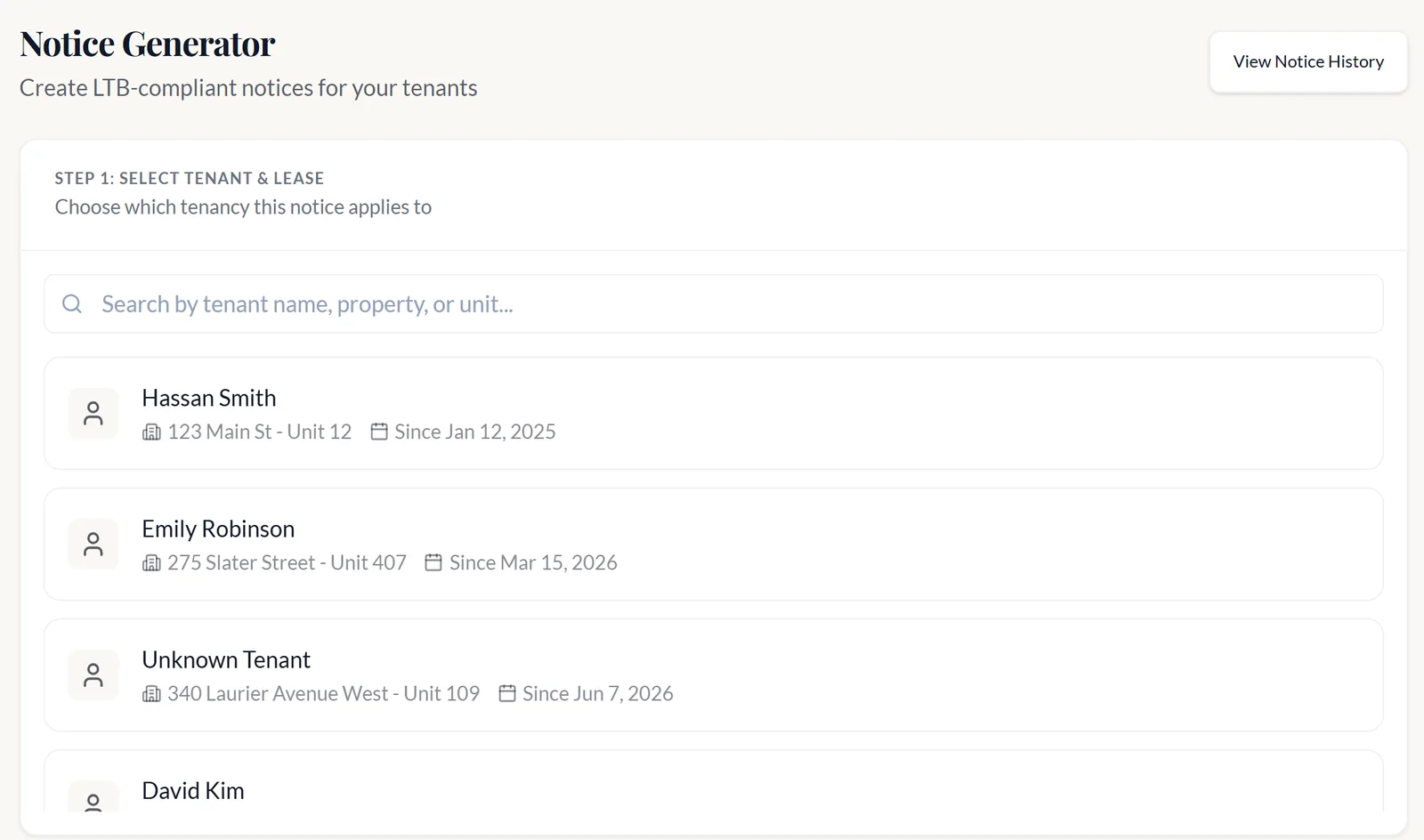
Generate notices and leases
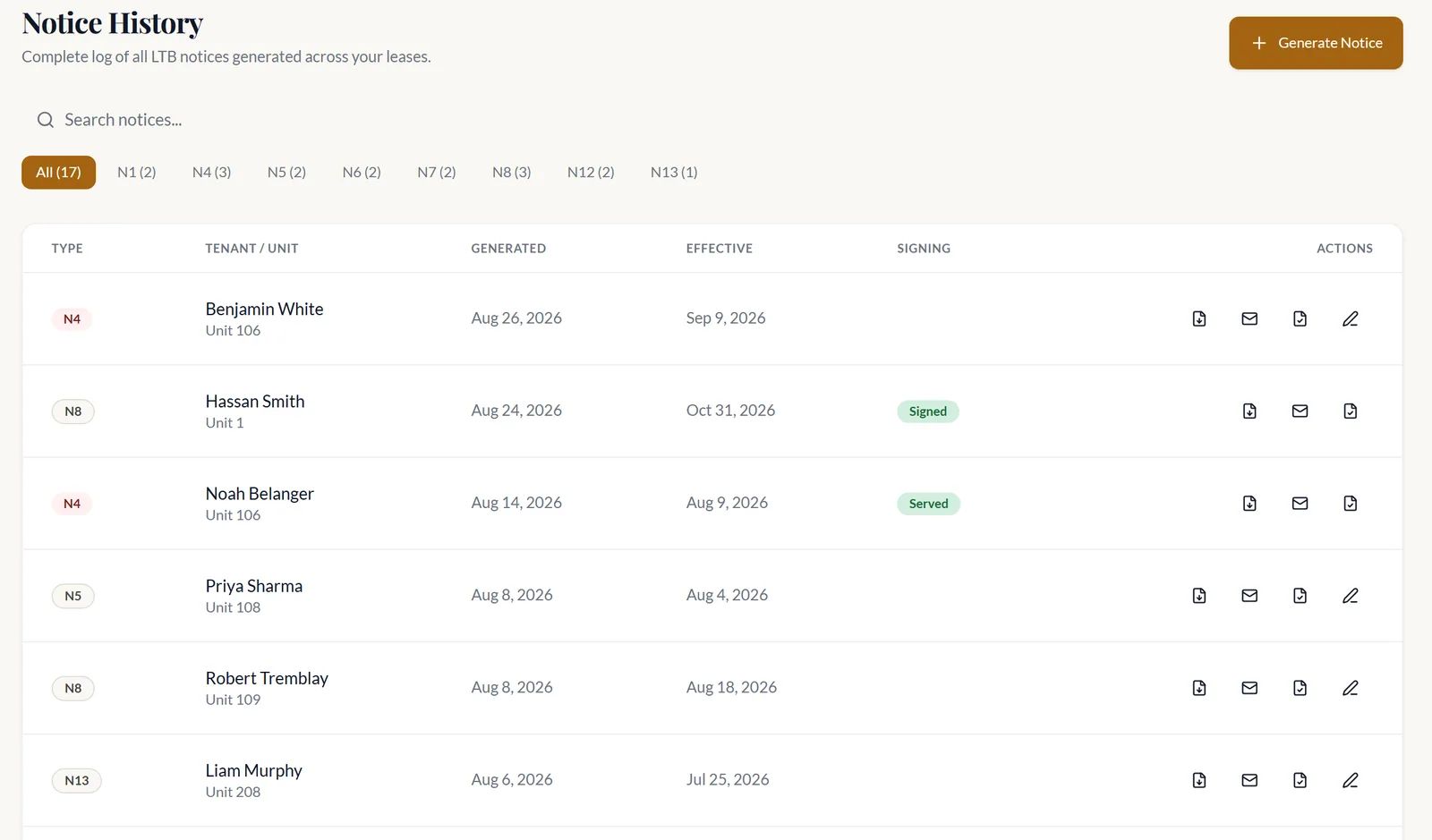
N1s, N4s, N12s and the Standard Lease, checked against the RTA and dated in Ontario time.
What you get
A whole portfolio in one import
Up to 1,000 leases per file. Re-upload as often as you like: nothing is duplicated or overwritten.
Notices that are right before you serve them
Every notice is checked against the RTA first. A served N4 voids itself if the arrears are paid in full before an L1 is filed.
Keep DoorLoop. Add Ontario on top.
A connected lease keeps its rent in DoorLoop and gets its Ontario paperwork here.
Stays in DoorLoop
- Rent and payments
- The lease ledger
Runs in OntarioLandlord
- LTB notices
- Leases and documents
The Ontario Standard Lease, done properly
Form 2229E with the LTB email consent form included. Already signed one elsewhere? Record it.
We only do Ontario
So the dates, the forms and the lease are right. We watch the LTB, e-Laws and the Gazette, and keep the forms current, including the Bill 60 changes.
- 11 LTB notice types
- Up to 1,000 leases per import
- Current Bill 60 forms
- Ontario only
Used by Ontario property managers and portfolio landlords, including firms moving off Buildium and DoorLoop.
Questions
Bring your portfolio. We will set it up with you.
Bring an export to a short call. We import it with you.
Just need one notice? Buy a single form.